Quick Answer Box
- United Airlines charges a $0 change fee on International flights that originate in the U.S., Mexico, and the Caribbean.
- Basic Economy flight tickets are restricted from any changes
- Travelers need to pay the fare difference
- Some routes allow same-day changes (mostly same origin/destination).
Traveling with United Airlines, you can now change your international flight at no added cost if originating from the U.S., Mexico, and the Caribbean. UA allows free flight change on international routes, for Standard Economy (Main Cabin), Premium Economy, and premium cabin tickets. However, Basic Economy tickets cannot be changed. Passengers can only cancel the ticket and book a new flight with the updated changes.
This blog covers a detailed guide on United Airlines' international flight change policy and what you need to pay for your new itinerary.
Do you have to pay a fee to change a United Airlines international flight?
United Airlines has a no-change-fee policy for international flights. However, you still have to pay the fare difference between your old and new flights, plus any taxes or government-imposed fees, if applicable. The fee remains $0 for all cabins except Basic Economy, which is considered a non-changeable fare class. Also, if you are flying from the U.S., Mexico, or the Caribbean, there is no change fee for international travel.
Example: If you book a Los Angeles to Rome flight for $350 and the new flight fare after change is $750, you will only pay the difference in fare, which is $400. Now, if the old fare was $750 and after the change the flight cost is $350, you will get a travel credit of $400 from United Airlines.
This is only if you have an Economy, Premium Economy, or Premium Cabin ticket.
Are Basic Economy international tickets changeable?
Basic Economy flight tickets are non-changeable. Once you have booked a flight, you cannot modify it or change to a different flight, date, or time. Here are the options you can choose to change your Basic Economy international tickets.
1. You can cancel your United Airlines flight within 24 hours of booking to get a full cash refund. The only condition is that your flight departs no earlier than 7 days after your original purchase date. This way, you can rebook your flight with the updated changes without paying any fee.
2. If you cancel after 24 hours, you will have to pay a cancellation fee, which is somewhere around $99–$199 or more, depending on the route. The remaining value of your flight ticket will be issued as a travel credit. You can use the credit to rebook a new flight.
3. As free change is available on Standard Economy (Main Cabin), you can upgrade your flight instead of canceling. You will have to pay around $49–$99 plus the current fare difference. Once your Basic Economy is upgraded to Main Cabin, there won’t be any other restrictions on your ticket. The fee may vary depending on your flight route.
Note: upgrade fee + fare difference can sometimes be higher than just rebooking.
You can refer to United Basic Economy Change & Cancellation Rules for details.
Let us understand how fare class affects the cost of an international change.
|
Fare class |
Direct change allowed? |
Change fee |
Fare difference required? |
|
Basic Economy |
No — must cancel/rebook or upgrade first |
N/A (see cancellation fee below) |
N/A |
|
Basic Economy → cancel after 24 hrs |
— |
$99–$199+ (route-dependent) |
Remainder issued as travel credit, not cash |
|
Basic Economy → Standard Economy (Main Cabin) upgrade |
Yes, after upgrading |
$49–$99 per direction |
Yes, plus current fare difference |
|
Main Cabin |
Yes |
$0 |
Yes, if new flight costs more |
|
Premium Plus |
Yes |
$0 |
Yes, if new flight costs more |
|
Business / Polaris / First |
Yes |
$0 |
Yes, if new flight costs more |
|
Refundable (any cabin) |
Yes |
$0 |
Yes, if new flight costs more |
Does the departure country affect United Airlines international flight changes?
United Airlines fee-free status depends on where the trip starts, not just fare class:
|
Trip origin |
Change fee (non-Basic Economy) |
Notes |
|
U.S. / Mexico / Caribbean |
$0 |
Fare difference may still apply |
|
Flights originating outside the U.S., Mexico, or the Caribbean |
May still apply |
Varies by fare rules — check before assuming $0 |
|
Partner-airline itinerary |
Follows partner's own rules |
Not covered by United's standard policy |
Is same-day change allowed for a United Airlines international flight?
United Airlines allows same-day flight changes within United Airlines or United Express for the same route only. Your new flight should be on the exact route as the previous flight, with the same departure and arrival airports. For example, if flying from New York to Paris, the flight booked from Newark Liberty (EWR) to Paris cannot be changed to John F. Kennedy (JFK) to Paris.
- United Airlines restricts Basic Economy flight tickets from being changed on the same day. However, they can wait on the same-day standby list for an earlier flight for free.
- Same-day standby changes are free for all fare classes. You will be on a waitlist, and the seat availability will decide whether you can board the new flight.
- For Same-Day confirmed changes, the airline will guarantee you a seat, but there is a fee. You will have to pay a $75 fee plus the fare difference if holding a Standard Economy (Main Cabin) ticket. For Premier Elite Members, there is no fee, but any fare difference must be paid.
For details on the same-day change policy, refer to the blog: United Airlines Same-Day Change & Standby Policy
If you are applying for a same-day flight change on an international route, make sure you request the change at least 60 minutes before the new flight departs for the baggage to be moved. Waiting for a standby change can be risky, as international flight frequency is low, which also decreases the probability of last-minute seat availability.
How to change a United Airlines international flight?
Here’s a detailed step-by-step guide on how to change your United Airlines international flight:
Step 1: Log In to Your Account
You can either go to United.com or open the United app. Enter details such as your confirmation number and last name to log in. If you are a MileagePlus member, you can log in directly for faster access.
Step 2: Navigate to My Trips
Once you are logged in, check the My Trips section on the home page or app menu. Here, select the trip you want to change. Check the details of your current flight, such as airport, timing, and fare class.
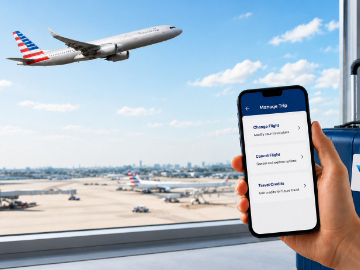
Step 3: Select Change Flight
You will find the Change Flight option on the same page. Choose Edit to make the required changes. Remember that if you have a basic economy flight, you cannot make any changes.
Step 4: Choose New Flight
Find the new available flight at your preferred schedule. Remember to look for flights that operate on the same route and have the same departure and arrival points.
Step 5: Confirm your Booking and Save
Once the flight is finalized, make sure to check the details before proceeding towards payment. Pay any fare difference, if any. You will receive a new confirmation via email or app notification.
If you find it difficult to use digital mode for flight booking, you can call United Airlines customer support for assistance. All you need is your confirmation number and travel details. The agent will make the specific changes you need. You can then pay the fare difference as directed by the airline agent.
How to change a multi-city or connecting international itinerary with United Airlines?
Changing a multi-city or connecting international itinerary is the same as changing a single flight if you only need one leg to be modified. If all flights are operated by United Airlines, you can simply log in to the United Airlines Website or mobile app and make the changes under the My Trip section. Only select the leg you want to change. There you can look for alternate connections or a multi-city destination and confirm.
If the itinerary is complex and includes partner airlines or any mid-journey changes, you can call United Customer Service for better assistance. The more complex the itinerary is, the more likely it is that a fare miscalculation was made digitally. An agent will make sure the flights are booked correctly, and no leg is accidentally removed.
For a quick insight:
|
Scenario |
Change Method |
Notes |
|
Connecting flights (all United) |
Online via My Trips/App |
Change one leg; fare difference applies |
|
Multi?city itinerary (all United) |
Online or phone |
Change applies to selected leg; credits/refunds vary |
|
Partner airline segments |
Phone with agent |
Complex fare rules; best handled manually |
Frequently Asked Questions
Does United Airlines let you change international flights?
Yes. You can change your United Airlines flight ticket free of charge if you are holding a Standard Economy (Main Cabin) or above fare class ticket.
Can I reschedule a United Airlines international flight?
Yes, you can reschedule your international flight online via the United Airlines website or UA app. Make sure your flight originates and arrives at the same airport as the previously booked flight.
Does United Airlines charge any fee for flight changes?
United Airlines charges $0 for a flight change if you have a Standard Economy (Main Cabin), premium, or above premium fare class ticket. A cancellation fee is charged for Basic Economy.
How long before departure can I change my United Airlines flight?
You can change United Airlines flights anytime until departure. Same?day changes are allowed up to 1 hour before departure. While confirmed changes come with an added fee, standby changes are free of charge.
Is it worth upgrading from Basic Economy to economy on United?
Upgrading your United Airlines flight from Basic Economy to economy gives you added benefits like free flight changes and cancellations.
Are changes allowed on United Basic Economy flights?
No, you cannot change your United Airlines Basic Economy flights. You can cancel it within 24 hours of booking for a full refund and rebook another flight. Or you can upgrade to economy and change your flight.
Cheapflightsfares is an independent agency and is not affiliated with United Airlines. The given policies are subject to change. It is always advisable to verify current policies published by United Airlines on their official website.
Explore Related Stories